What Is POS Software? A Plain Explanation for Shop Owners
By Quantum Solutions · 4 min read
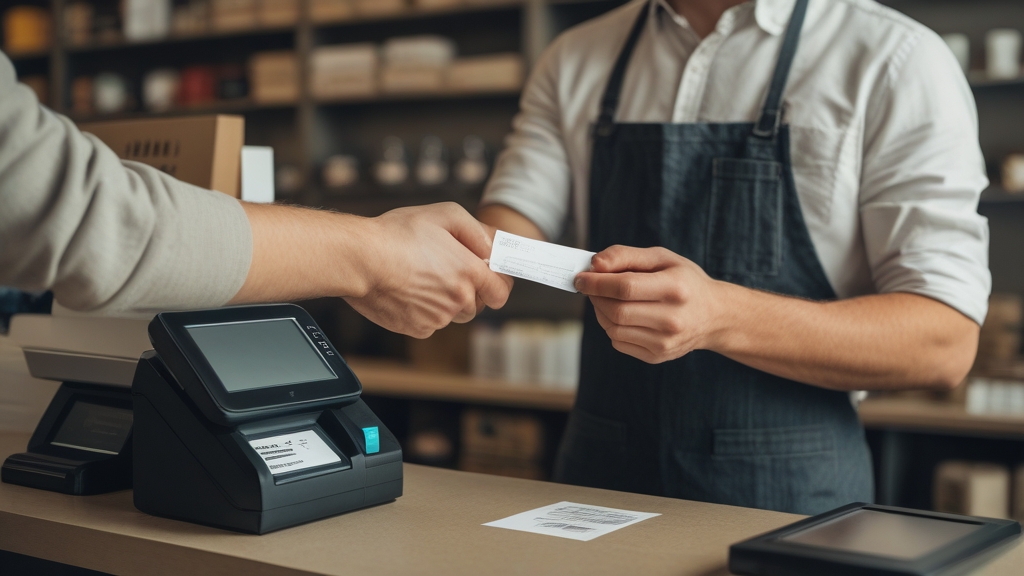
Short answer: Point of sale software is a digital tool that handles checkout sales in a retail store. It calculates bill totals, records customer payments, updates inventory levels, and prints receipts. Instead of just holding cash, point of sale software tracks every item sold and shows your daily business numbers automatically.
Key takeaways
- POS software records counter sales and automatically updates stock levels in real time.
- Cash registers only hold cash, while point of sale software tracks products and customers.
- Dedicated inventory software manages stock, but a POS handles customer checkout.
- You need POS software when manual sales tracking creates errors or slows down lines.
What does point of sale software actually do?
If you ask what POS software is, the answer is simple. POS stands for point of sale. It is a computer program or mobile app that processes customer sales at the shop counter.
When a customer buys items, point of sale software calculates the total cost, adds any tax, and records the payment method. It then deducts the sold items from your stock levels and generates a printable receipt.
Imagine a customer buys 2 notebooks for $3 each and 1 pen for $2.
- Notebooks cost: 2 multiplied by $3, which equals $6.
- Pen cost: 1 multiplied by $2, which equals $2.
- Total sale before tax: $6 plus $2, which equals $8.
- Tax rate is 5%: 5% of $8 equals $0.40.
- Total paid by customer: $8 plus $0.40, which equals $8.40.
The software saves this sale, subtracts 2 notebooks and 1 pen from your stock count, and adds $8.40 to your daily income report.
How does a POS system differ from a cash register?
A traditional cash register acts as a secure box to hold physical cash and calculate simple bill totals. Point of sale software does much more because it connects billing directly to your product list and sales reports.
Here is how a cash register compares to POS software:
| Feature | Cash Register | POS Software |
|---|---|---|
| Track product stock | No | Yes |
| Store customer profiles | No | Yes |
| Detailed sales reports | No | Yes |
| Track profit per item | No | Yes |
With a cash register, you must count your stock manually at the end of the week. With point of sale software, you see accurate stock levels after every single sale.
How is POS software different from inventory software?
POS software handles the checkout process at the counter when a customer purchases an item. Standalone inventory software focuses on background stock movements, organizing warehouses, and tracking product costs.
Many shop owners start by tracking stock manually on paper or spreadsheets. You can read more about this transition in our guide to spreadsheet vs inventory software. Today, modern POS systems combine front-counter billing with basic inventory management in one tool.
When you complete a sale on a POS, your inventory count drops automatically. This removes the need to record transactions twice.
When does a small shop need POS software?
You need POS software when manual sales tracking takes too much time or leads to costly counting errors. If you struggle to know which items are in stock, software helps immediately.
Here are clear signs that your shop needs a POS system:
- You lose track of items that are running low in stock.
- You cannot tell which products make the most profit.
- Customers wait in long lines while staff calculate bills by hand.
- You spend hours writing daily sales receipts on paper.
If you are comparing different tools for your shop, read our guide on free POS vs paid POS options to choose what fits your budget.
What main features should you look for in POS software?
The main goal of point of sale software is to make daily store operations clear and simple.
Look for these useful features when selecting software:
- Flexible payment billing: Fast checkout using cash, mobile pay, card, or credit.
- Barcode support: Scanning items saves time and prevents typing mistakes. Read our guide on barcode scanning for small shops to learn more.
- Stock tracking: Automatic stock updates with every sale or stock intake.
- Customer records: Saving phone numbers and tracking customer credit. Learn how to manage customer credit without losing money to protect your sales.
- Daily reports: Summaries showing total sales, tax collected, and net profit.
Tax rules differ by country, so always confirm your tax calculations with a local tax adviser.
How DukaanAI helps
DukaanAI provides store management software for single shops and chains on the web and Android app. You can bill customers using cash, mobile pay, card, or credit while updating stock counts automatically. The Free plan includes 1 store, up to 100 products, 2 team members, and 30 days of sales reports to manage your daily retail operations.
Frequently asked questions
What does POS stand for in retail?
POS stands for point of sale. It refers to the location in a store where a customer pays for goods or services. POS software is the computer application that processes those checkout transactions.
Can POS software work on a smartphone or tablet?
Yes. Many modern POS applications run on web browsers, smartphones, and tablets. This allows shop owners to handle checkout sales and check stock levels on Android devices without buying expensive computer hardware.
Does POS software update inventory automatically?
Yes. Every time a cashier scans or selects an item during checkout, the POS software deducts that item from your total stock count automatically in real time.
What is the main difference between POS software and billing software?
Basic billing software only creates invoices and prints receipts. A full POS system creates bills while also updating stock counts, saving customer profiles, tracking credit dues, and generating store profit reports.
Keep reading
- How to Reduce Stock Loss in Retail Shops: Learn practical ways to reduce the stock loss retail stores face every day, from stopping count errors to spotting supplier shortages and shop theft.
- Inventory Management for Small Business Free: Real Options: Looking for free inventory management options for your small business? Compare paper, spreadsheets, and free software tiers to find what fits your shop.
- Stock Management App for a Small Shop: What to Look For: Looking for a stock management app for your small shop? Discover key features like barcode scanning, offline mode, low-stock alerts, and simple reports.
- How to Open a Retail Store: A Step-by-Step Checklist: Learn how to open a retail store with this step-by-step checklist. Plan your stock, find suppliers, set prices, and prepare your shop for opening day.